


How to Pay with Crypto
We are pleased to offer you a convenient and secure cryptocurrency payment method. OldRedCountryHouse accepts payment in Tether (USDT), Bitcoin (BTC), Ethereum (ETH), Litecoin (LTC), Binance Coin (BNB), Toncoin (TON), Solana (SOL), USD Digital (USDD), TrueUSD (TUSD), Shiba Inu (SHIB), USD Coin (USDC) and other.
Below is a simple guide to help you through this payment process.
1. Creating an order
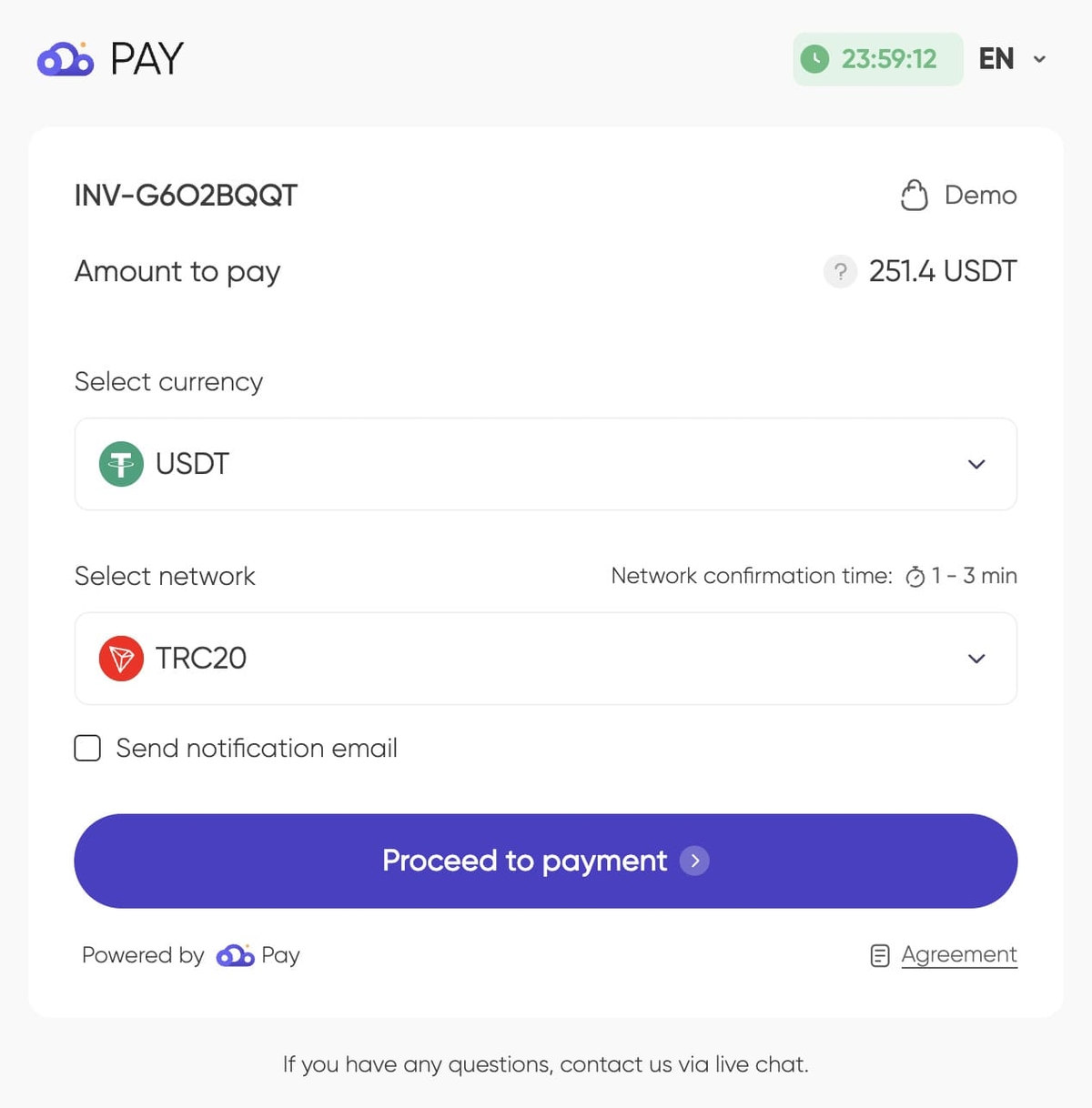
Create an order on our website and go to the payment page. In the payment methods, select «CryptoCloud». You will be redirected to the created invoice page.
2. Select cryptocurrency for payment
Select the cryptocurrency and network you want to use for payment from the list of supported ones. Also, provide an email address to receive payment notifications.
Make sure that your cryptocurrency wallet has enough funds to complete the payment. Remember that sending funds in cryptocurrency involves a network fee. Next, click the «Pay» button.
3. Receiving payment address
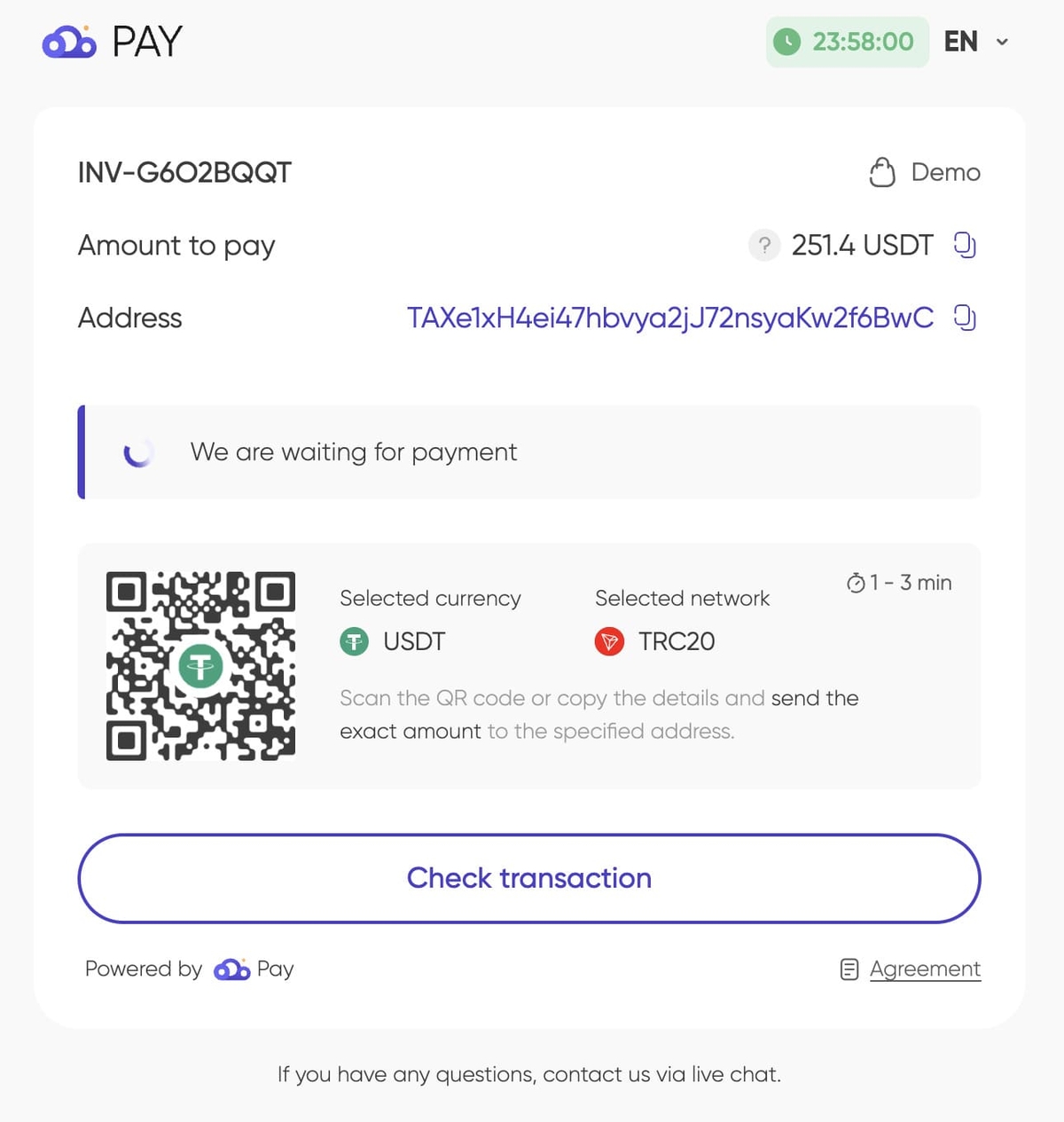
The next step will display a unique payment address for making the transaction, accompanied by a QR code.
Copy the payment address or scan the QR code using your cryptocurrency wallet or exchange’s mobile app. Ensure accuracy, as sending cryptocurrency to the wrong address can result in loss of funds.
 4. Making payment from your wallet
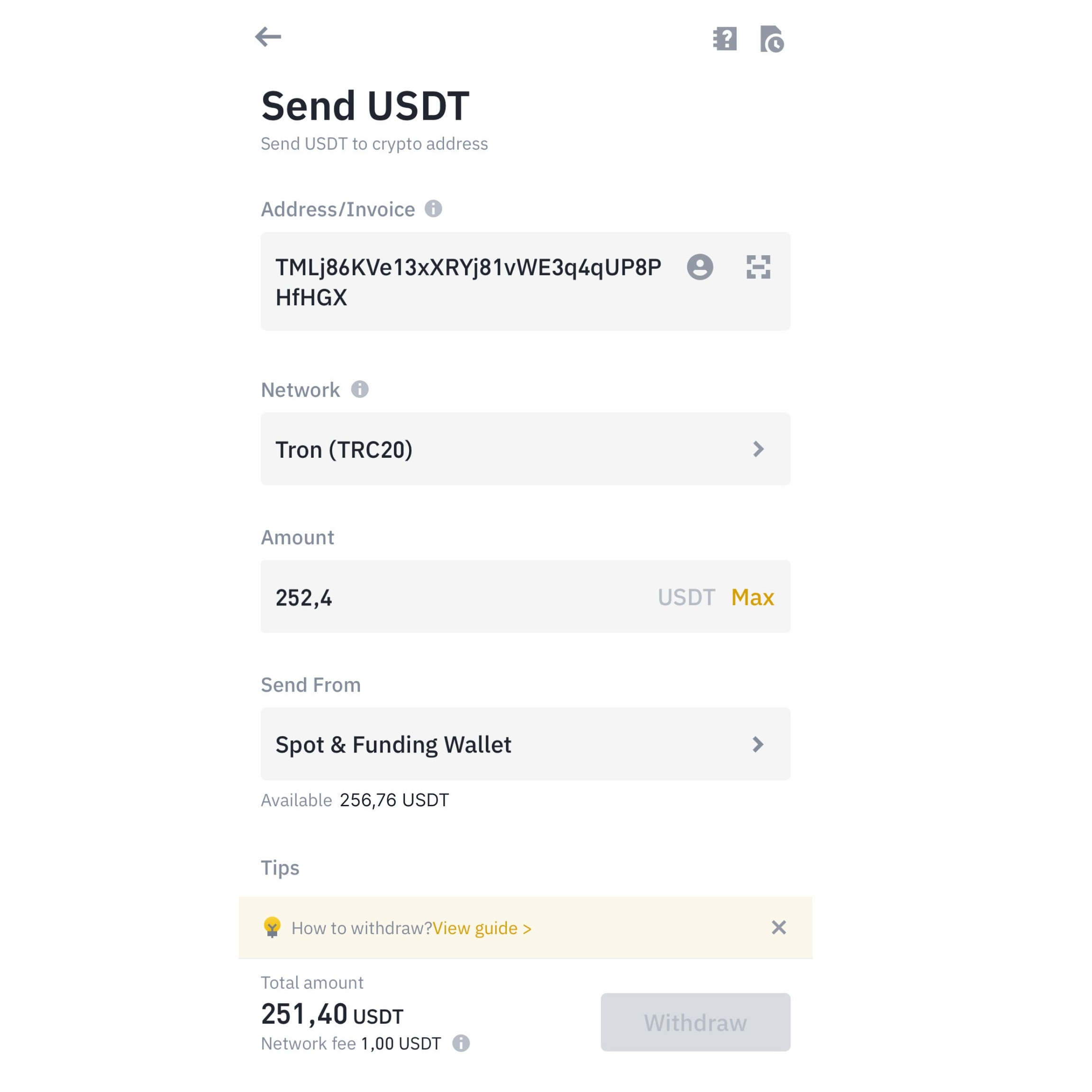
Open your cryptocurrency wallet from which you are going to send the payment. Select the appropriate cryptocurrency and network in the «Send» or «Withdraw» section.
Enter the copied address (or scan the QR code) and the exact amount of cryptocurrency needed for the transaction.
Remember the transaction fee charged by your wallet or blockchain network, which may need to be added to the total amount sent. Verify that the correct amount reaches the CryptoCloud service after all fee deductions.
Most providers add the fee to the required amount, but some wallets and exchanges deduct it from the total transfer.
If you send the wrong amount, the system will detect your payment and calculate the minimum additional amount needed.
 5. Confirmation and sending of payment
The invoice is available for payment for a limited time. A countdown timer is displayed on the payment page.
If you send funds and the invoice expires, it will be confirmed as soon as the funds are received. If the invoice expires before payment, create or request a new invoice.
Double-check the address and amount before confirming the transaction. Blockchain transactions are irreversible. Follow your wallet’s procedure to authorize and send the transaction, which may include two-factor authentication or other security measures.
6. Waiting for confirmation from the blockchain
Once sent, the transaction data will be recorded on the blockchain. When the payment service identifies your transaction, the status on the screen will update. Confirmation speed depends on the cryptocurrency and blockchain network load. Usually, confirmation takes 2–10 minutes; Bitcoin payments can take up to 1 hour or more.
You can use a blockchain explorer, such as Blockchair or Tronscan, to monitor your transaction. You will need the transaction ID, usually provided by your wallet after sending the payment.
7. Completing the order
Once the transaction is confirmed by the payment service, you will receive a notification of successful payment. The status of your order will change to «Paid».
After confirmation, we will start processing your order.
Recommendations
- Always ensure you send the payment to the correct address with the right currency and network.
- Keep the transaction ID and any other information about your payment for future reference.
- Contact our specialists or payment service support if you have any questions during or after the payment process.